
Coursera Path Finder
Answer these two questions to find the most cost-effective way for you to learn.
Recommended Path
You’ve probably seen the ads: world-class certificates from Yale, Google, or Stanford, all available from your couch. But when you actually click 'Enroll,' you're often hit with a monthly subscription fee or a payment prompt. It makes you wonder-did the Coursera free courses era end, or is the 'free' part just hidden behind a few menus?
The short answer is yes, but with a catch. Coursera is a massive open online course (MOOC) provider that partners with universities and companies to deliver educational content. While they have moved toward a more aggressive subscription model, the platform still allows you to access a huge chunk of its knowledge base without spending a dime. The trick is knowing the difference between 'auditing' a course and 'earning' a certificate.
Главные выводы: Quick Summary
- Auditing: You can watch almost all videos and read materials for free.
- Certificates: These almost always cost money unless you get financial aid.
- Financial Aid: Coursera still offers a way to get paid certificates for free if you can't afford them.
- Free Courses: Some specific courses are 100% free, including the certificate.
The Art of Auditing: Learning Without the Paper
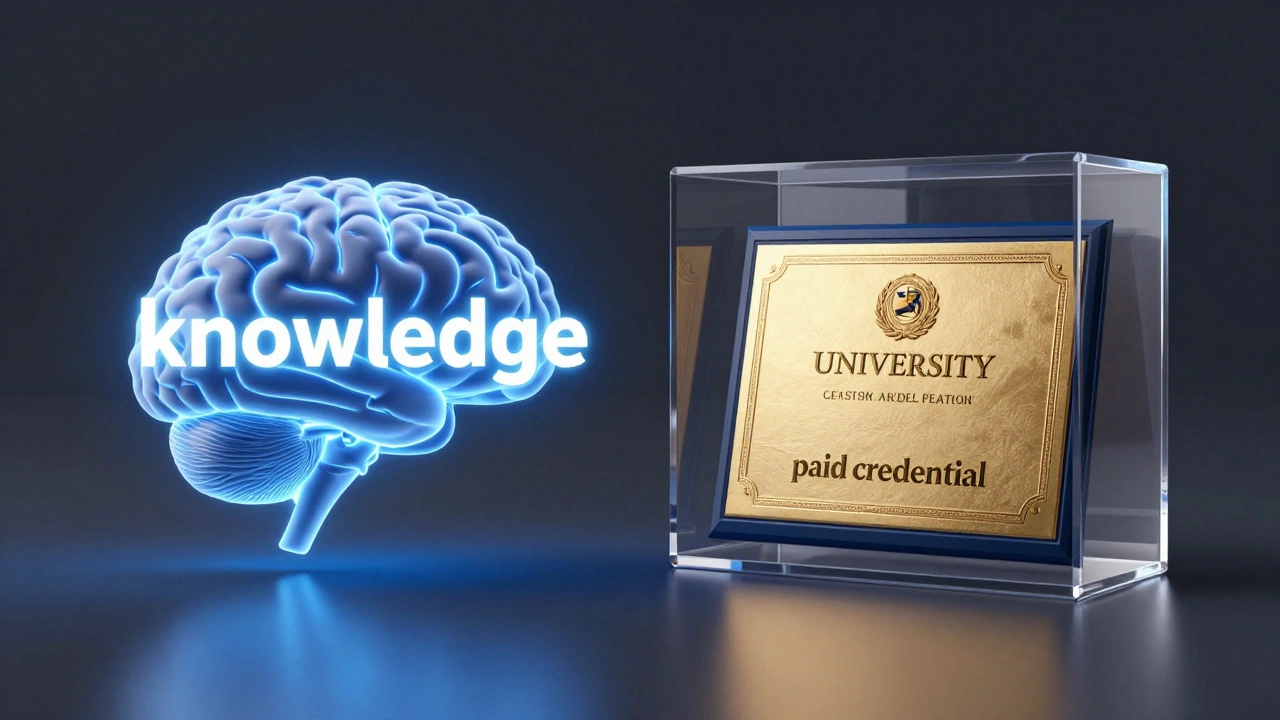
Most people think Coursera isn't free because they see the '7-day free trial' button. That button is for the certificate track. If you just want the knowledge, you want to "Audit" the course. When you audit, you get access to the video lectures, the reading assignments, and the community forums. You aren't paying for the content; you're paying for the credential.
To do this, search for a specific course (not a Professional Certificate or a Specialization). Click the 'Enroll' button. A pop-up will appear offering a trial or a payment. Look closely at the bottom of that window-there's usually a tiny link that says "Audit the course." Click that, and you're in. You won't be able to submit graded assignments or get a certificate, but you'll have the same information as the paying students.
Think of it like a university lecture. You can sit in the back of the room and learn everything the professor says for free, but if you want the degree that proves you were there, you have to pay the tuition. For a lot of us, the skill is what matters, not the PDF.
How to Get Paid Certificates for Free via Financial Aid
What if you actually need the certificate for your LinkedIn profile or your resume? This is where Financial Aid comes into play. Coursera is one of the few platforms that still lets you apply for a waiver of the fee. It's not a hidden feature; it's a formal application process.
Next to the 'Enroll' button on most course pages, you'll see a small link that says "Financial aid available." When you click this, you have to answer a few questions. They'll ask why you're applying and how the course will help your career goals. Be honest and specific. Instead of saying "I'm a student and I'm broke," explain that you are trying to transition into data analysis to increase your earning potential in a competitive job market.
The review process usually takes about 15 days. If approved, Coursera grants you full access to the course, including graded assignments and the final certificate, for free. It's a slow process, but for a course that might cost $49 to $79, it's worth the wait.
Understanding Coursera Plus and Subscriptions
Over the last couple of years, Coursera has pushed Coursera Plus. This is a subscription service-think of it as the Netflix of education. You pay a yearly or monthly fee and get unlimited access to thousands of courses and certificates.
This is where the confusion starts. Many courses are now bundled into "Specializations." A Specialization is a series of courses designed to master a specific skill. While you can often audit the individual courses within a Specialization, the Specialization certificate itself requires a subscription. If you're a casual learner, ignore Plus. If you're trying to finish five different certificates in six months, the subscription might actually save you money compared to paying for each one individually.
| Feature | Audit (Free) | Financial Aid (Free) | Paid / Plus Subscription |
|---|---|---|---|
| Video Lectures | Yes | Yes | Yes |
| Readings/Resources | Yes | Yes | Yes |
| Graded Assignments | No | Yes | Yes |
| Verified Certificate | No | Yes | Yes |
| Cost | $0 | $0 (after approval) | Monthly/Yearly Fee |
Free Courses vs. Audit Courses: What's the Difference?
There is a separate category of courses that are truly "Free." These are usually hosted by non-profits or specific university initiatives. In these cases, the entire experience-including the certificate-is free. These are rare, but they exist. They are usually labeled as "Free to Enroll" rather than just having an audit option.
Don't confuse these with the Professional Certificates offered by companies like Google or IBM. Those are high-value industry credentials. While the content is available via auditing, the certificates are the primary product. If you see a Google Data Analytics certificate, remember: the knowledge is free; the badge is paid.
Common Pitfalls and How to Avoid Them
One of the biggest mistakes learners make is signing up for the "Free Trial." This is a trap for the forgetful. You provide your credit card info for a 7-day window. If you don't cancel by day 6, you'll be charged the full monthly subscription fee. If your goal is to learn for free, avoid any button that asks for a credit card.
Another issue is the "Course vs. Specialization" loop. Sometimes you'll search for a course and find yourself on a Specialization page. The 'Enroll' button here often leads directly to a payment page without an obvious audit option. To bypass this, scroll down to the "Courses in this Specialization" section. Click on an individual course title. This takes you to the specific course page, where the "Audit" link usually reappears.
Is it Still Worth It in 2026?
With the rise of YouTube and Khan Academy, you might wonder why you'd bother with Coursera. The value isn't just in the videos; it's in the structure. A well-designed course prevents the "tutorial hell" where you watch a hundred videos but can't actually build anything. Coursera provides a curated path from a recognized institution.
Even if you don't get the certificate, having "Completed Google Project Management course via Coursera" on a resume is better than saying "I watched some videos on YouTube." It shows a level of commitment to a structured curriculum.
Can I get a free certificate on Coursera?
Yes, but only through two ways: applying for Financial Aid (which takes about 15 days to be approved) or finding a rare course that is explicitly labeled as 100% free including the certificate. Standard auditing only gives you access to the learning materials, not the credential.
Does auditing a course limit what I can learn?
In terms of knowledge, no. You get the videos and the readings. However, you cannot submit assignments for a grade or take the final exam, which means you won't get the certificate. If you're learning for yourself, auditing is perfectly sufficient.
How long does Financial Aid take to be approved?
Typically, it takes 15 days. During this period, you should not start a free trial for the course, as doing so can sometimes cancel your financial aid application.
What is the difference between a Course and a Specialization?
A Course is a single unit of study. A Specialization is a bundle of several courses designed to lead you toward a professional goal. You can audit individual courses within a Specialization, but you usually have to pay for the overarching Specialization certificate.
Will I be charged if I audit a course?
No. Auditing is completely free and does not require you to enter any credit card information. If a page asks for your payment details, you are not in the audit track.
Next Steps for New Learners
If you're just starting, don't feel pressured to pay for a subscription immediately. Start by auditing a few courses to see if the teaching style fits your needs. If you find a course you love and you really need the certificate for your career, put in the effort to write a thoughtful Financial Aid application.
For those who are purely skill-focused, combine Coursera's theoretical knowledge with a hands-on project. Use the free materials to learn the concept, then build a real-world project in a tool like GitHub. A portfolio of actual work often carries more weight with employers than a single certificate ever will.